

Android Security: How to Spot Fake VPNs & Protect Your Device
 Sharon
  2026.07.26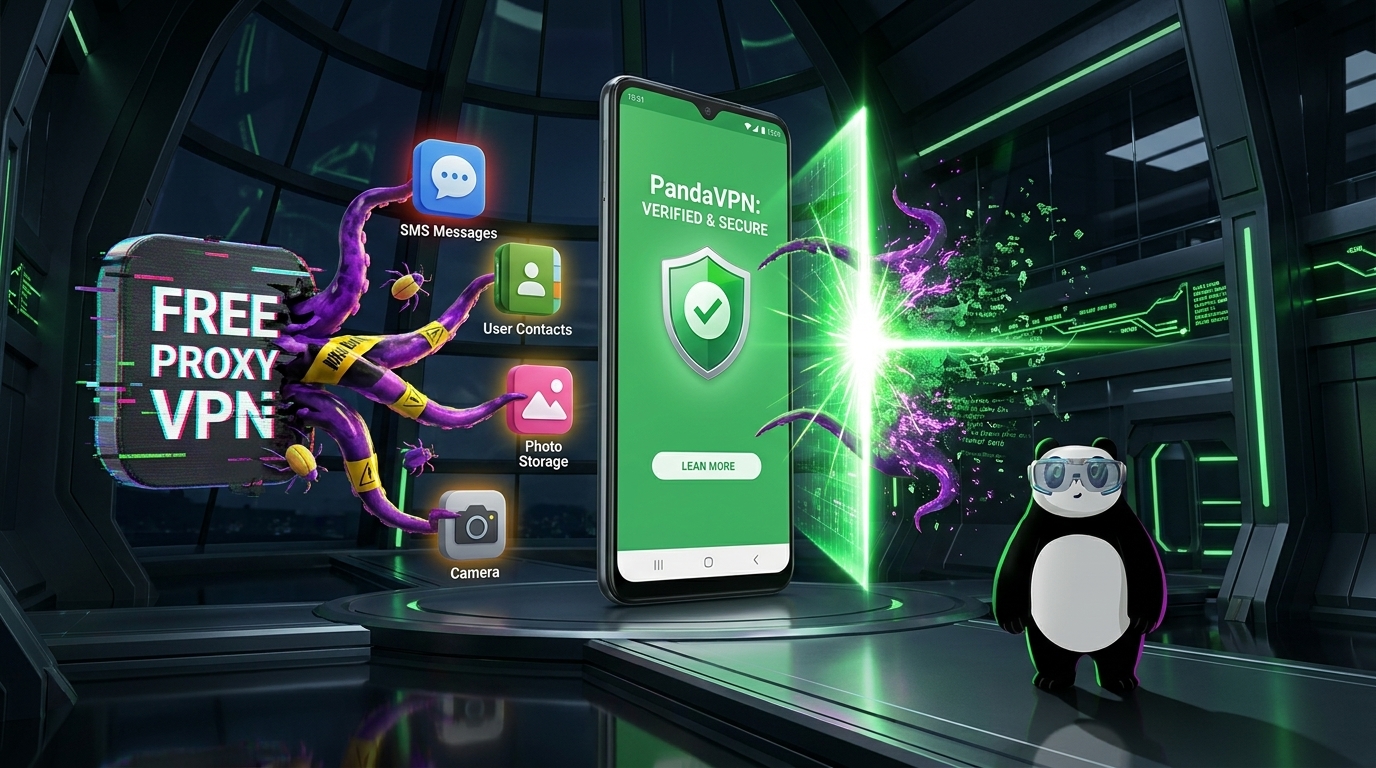
The open nature of Android’s ecosystem offers incredible flexibility, but it also opens the door to malicious software. Security researchers frequently uncover dangerous apps masquerading as virtual private networks. These fake apps promise “unlimited free proxy lines,” but behind the scenes, they log user data, inject adware, or hijack devices for DDoS botnets.
As an Android user, how do you separate trusted encryption tools from deceptive malware? Here is a practical blueprint to identify fraudulent apps, alongside a look at how professional security tools protect your mobile data.

The Danger of Compromised Network Tools
In the Android ecosystem, a network utility holds significant privilege. When you activate a connection, the OS requests permission to monitor network traffic.
While necessary for data routing, an untrusted app exploiting this access can execute Man-in-the-Middle (MITM) attacks, intercepting or altering everything your phone sends and receives. Furthermore, rogue developers use the guise of “privacy protection” to request risky background permissions that compromise device performance.
4 Ways to Identify Deceptive Network Apps
Before tapping the install button on an APK or app market link, run through these essential checks:
1. Verify Requested Device Permissions
A dedicated utility only requires basic network configuration access. If an installation file requests access to your contacts, SMS messages, call logs, camera, or local device storage, it is highly likely spyware or aggressive adware. Legitimate tools do not peer into your private files.
2. Inspect the Developer and Package Name
Malicious applications often clone the logos and names of established brands. Always check the developer field in your app store. Additionally, verify the application’s package name (e.g., com.pandavpn.android) to ensure you are not installing a misspelled imitation.
3. Evaluate the Business Model
Maintaining global, high-speed server infrastructure requires substantial bandwidth and hardware investment. Apps that promise permanent premium speeds with zero ads and zero fees usually monetize their users instead. They often profit by tracking your browsing habits or selling your data to third-party brokers.
4. Stick to Verified Download Channels
Avoid downloading installation files from unverified online forums, random file-sharing links, or chat groups, as these are frequently modified with malware. Only download from official app stores or directly via the manufacturer’s verified website utilizing secure HTTPS protocols.
Securing Android with PandaVPN
When selecting an encryption tool, technical transparency and robust architecture are vital. PandaVPN for Android provides specialized, multi-layered security designed to keep your mobile footprint private.
+-------------------------------------------------------------------+
|                     PANDAVPN SECURITY CORE                       |
+-------------------------------------------------------------------+
|  [ECC Encryption] ---> [Zero-Logs Policy] ---> [6000+ Servers]    |
|   Highest Industry       No Tracking of          Unlimited        |
|    Security Standard      Browsing History        Bandwidth       |
+-------------------------------------------------------------------+
High-Tier ECC Encryption
PandaVPN secures your mobile connection using Highest-level ECC (Elliptic Curve Cryptography) encryption. This enterprise-grade standard guarantees that whether you are on public Wi-Fi or cellular networks, your data remains completely unreadable to ISPs, hackers, and tracking agencies.
Absolute Privacy Architecture
-
Strict No-Logs Policy: Your digital footprints belong to you alone. PandaVPN does not log your browsing history, connection timestamps, or network activities.
-
Minimalist Permissions: The application operates strictly within necessary parameters, requesting zero access to your private photos, contacts, or personal messages.
Massive Global Server Infrastructure
With 6000+ ultra-fast global servers featuring unlimited bandwidth, PandaVPN allows you to securely bypass geo-blocking and access global streaming services or gaming networks without compromising speed or stability.
Flexible and Safe Distribution
To ensure you always receive an authentic, untampered application, PandaVPN supports verified distribution channels:
-
Official Google Play Store: Fully scanned and verified by Google Play Protect.
-
Secure APK Direct Download: For regions with limited app store access, users can download the verified installer directly from the Official PandaVPN Android Download Page, ensuring total file integrity.
Conclusion
A compromised network tool is far more dangerous than having no protection at all. Protecting your digital identity begins with controlling what enters your device. By choosing a transparent, feature-rich service like PandaVPN, you secure your Android device with premium encryption, unlimited global access, and verified privacy protocols.

Related Posts


Featured Posts